How to Serve Paged, Editable Data Through One Contract in C#
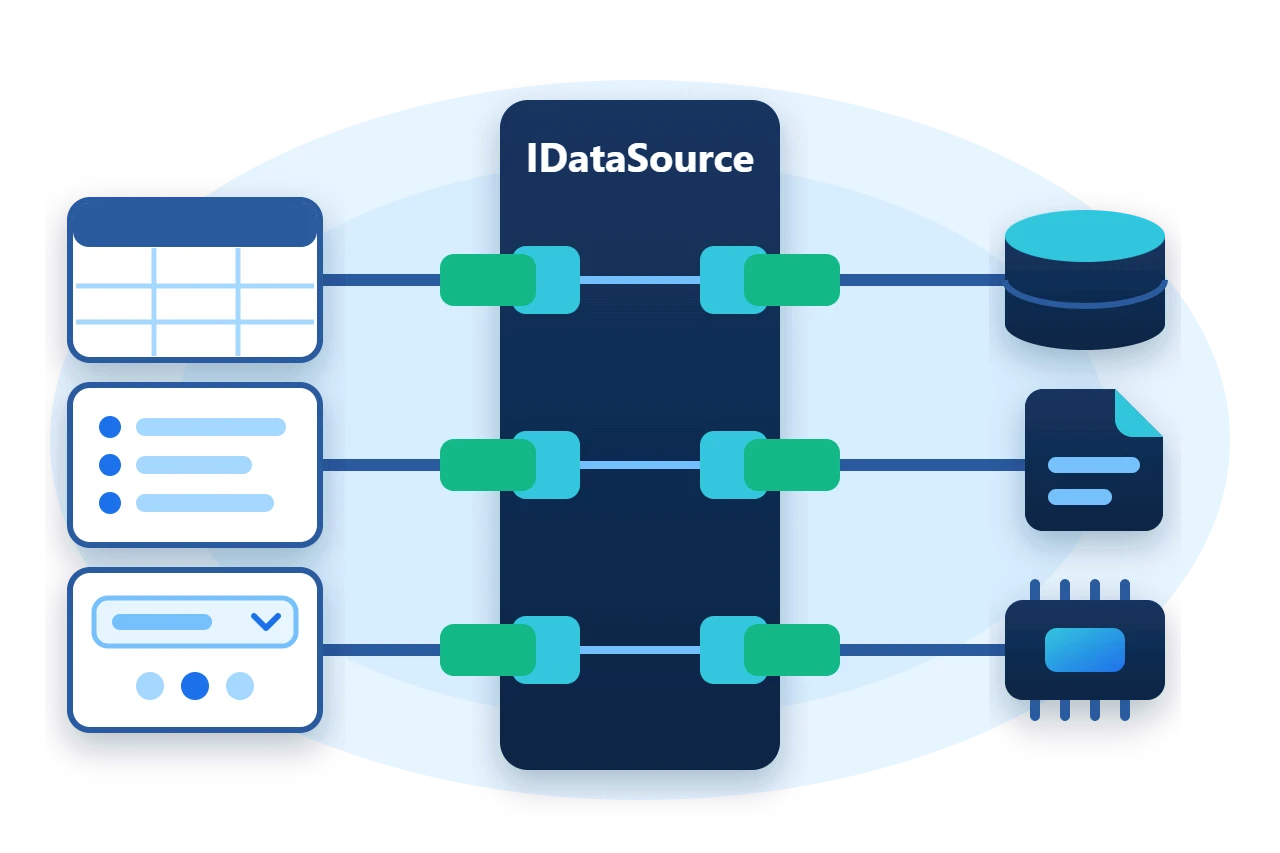
A grid, a combo box and a report all ask the same questions of their data. They want one page of rows, sorted and searched, a total count, a way to validate and save an edit, and a signal when the rows change. When every screen answers those questions differently for every backend, each control has to be wired by hand.
Sphere10 Framework defines the answers once as IDataSource<TItem>. A backend implements the contract, and any consumer written against it works with that backend. This article explains the contract, the list-backed implementation, validation and change notification, and the decorators that refresh a source on demand or on a schedule.
1. Fetch on first read
A ListDataSource<TItem> built from rows is ready immediately. One built without rows calls its Fetch method the first time data is needed, which keeps construction cheap. The sample overrides Fetch and ValidateRange.
public sealed class FetchedRows : ListDataSource<Row> {
	public int Fetches { get; private set; }

	public override Result ValidateRange(IEnumerable<(Row entity, CrudAction action)> actions) {
		var result = new Result();
		foreach (var (row, action) in actions) {
			if (action != CrudAction.Delete && string.IsNullOrWhiteSpace(row.Name))
				result.AddError("Name is required.");
		}
		return result;
	}

	protected override IEnumerable<Row> Fetch() {
		Fetches++;
		return Enumerable.Range(1, 25).Select(id => new Row { Id = id, Name = "row " + id, Value = 100 - id });
	}
}
RequiresLoad is true until the first read, and later reads are served from memory.
var source = new FetchedRows();
Require(source.RequiresLoad && source.Fetches == 0, "Nothing is fetched before the first read.");
The built-in query matches a search term against the text of every public property of each row, ignoring case, and sorts by the named property.
2. What the contract contains
IDataSource<TItem> groups its members by purpose, and every member has a synchronous and an asynchronous form.
| Purpose | Members |
| Read | ReadRange, Count, Refresh |
| Write | New, Create, Update, Delete |
| Validate | Validate, ValidateRange |
| Describe | Capabilities |
| Notify | Changed |
The read call takes everything a paged view needs in one request.
var page = source.ReadRange(null, 10, 1, "Value", SortDirection.Ascending);
The arguments are a search term, the page length, a zero-based page index, the name of the property to sort by and the direction. The result is a DataSourceItems<TItem> with the page's Items, the Page actually returned and the TotalCount of matching rows, which is what a pager needs to draw itself.
Capabilities is a flags value such as CanCreate, CanUpdate, CanSearch, CanSort, CanPage and CanNotify. A consumer reads it to decide which commands to offer, so a read-only source and an editable one can share a screen.
3. Choose a base class
An implementation derives from the base that matches its backend, and the base supplies the other half of the contract.
-
SyncDataSourceBase<TItem>is for synchronous backends. Its asynchronous members run the synchronous ones on a worker. -
AsyncDataSourceBase<TItem>is for asynchronous backends. Its synchronous members wait on the asynchronous ones, so do not call them from a UI thread. -
The
ItemandBatchvariants of each base let you write either the single-item operations or the range operations and derive the other.
For data that fits in memory, ListDataSource<TItem> already implements everything over a list, including search, sort and paging. AsyncListDataSource<TItem> is its asynchronous counterpart, and ArrayDataSource<TItem> is a read-only source over an array.
4. Validate, mutate and notify
Validation is part of the contract, so the rules live with the data and every consumer gets them. Validate returns a Result that carries any error messages, and it receives the CrudAction being attempted.
var changes = 0;
source.Changed += () => changes++;
var draft = source.New();
Require(source.Validate(draft, CrudAction.Create).IsFailure, "A row without a name must be rejected.");
draft.Id = 26;
draft.Name = "row 26";
Require(source.Validate(draft, CrudAction.Create).IsSuccess, "A named row must be accepted.");
source.Create(draft);
draft.Value = 500;
await source.UpdateAsync(draft);
source.Delete(draft);
New creates a blank item without storing it. Create, Update and Delete each raise Changed once the mutation has been applied, and a bound view re-reads its current page in response. The source does not call Validate for you inside Create or Update. The consumer validates first, as the Framework's grids do, or the source enforces its rules again in its write methods.
5. Refresh a whole data set
Some data is a snapshot that must be replaced wholesale, such as a query result or a list of running processes. A refreshable source decorates another source and replaces it with a freshly built one.
ActionRefreshableDataSource<TItem> takes the factory as a delegate, and RefreshableDataSourceBase<TItem, TConcrete> takes it as an overridden CreateDataSource method.
var generation = 0;
await using var refreshable = new ActionRefreshableDataSource<Row>(() => {
	var current = Interlocked.Increment(ref generation);
	return new ListDataSource<Row>(new[] { new Row { Id = current, Name = "generation " + current } });
});
var first = (await Tools.DataSources.ReadAllAsync(refreshable)).Single().Name;
refreshable.Refresh();
var second = (await refreshable.ReadRangeAsync(null, 10, 0, null, SortDirection.None)).Items.Single().Name;
The new source is created and loaded while the current one stays readable, then swapped in, and the old one is disposed. Constructed from a factory alone, the decorator loads on its first read by performing a refresh, which is why the first value read in the sample is already the second generation.
PollingDataSource<TItem> adds a schedule on top. It refreshes at RefreshInterval while both Enabled and AutoRefresh are true.
var polling = new PollingDataSource<Row>(refreshable) { RefreshInterval = TimeSpan.FromMilliseconds(100), AutoRefresh = true };
polling.Changed += () => refreshed.TrySetResult();
polling.Enabled = true;
await refreshed.Task.WaitAsync(TimeSpan.FromSeconds(30));
await polling.StopAsync();
StopAsync ends polling permanently and disposes the decorated source, so the polling source owns the lifetime of what it wraps.
6. Limits to plan for
-
List sources hold everything in memory.
ListDataSource<TItem>searches and sorts its whole list for each read. Implement the contract over the backend's own paging for large data. -
Search is textual. The built-in query compares formatted property text. A backend that needs typed or indexed search implements
ReadRangeitself. -
Synchronous calls on asynchronous bases block. Use the asynchronous members from UI code.
-
A refresh replaces instances. Rows read before a refresh are not the objects in the new data set, so re-read after
Changed.
7. Get the package and run the sample
The contract and its implementations ship in the Sphere10.Framework NuGet package. The sample targets .NET 10.
dotnet new console --framework net10.0 --name ArticleSample
cd ArticleSample
dotnet add package Sphere10.Framework
The complete MIT-licensed sample contains every file shown in this article. Extract the download over the generated project and run it.
dotnet run -c ReleaseEach line is checked by the program before it is printed.
Page 1 by Value: ids 15 down to 6 of 25
Search 'row 2': 7 rows
Create, update and delete raised Changed 3 times
Before refresh: generation 2; after refresh: generation 3
Polling refreshed on its schedule, then stopped: True
The data sources guide lists every base class and decorator. The same contract backs the Framework's WinForms and Blazor grids.
The Sphere10 Framework overview describes the rest of the toolkit.
Author: Herman Schoenfeld
