
How to Tune an ObjectSpace for Your Workload
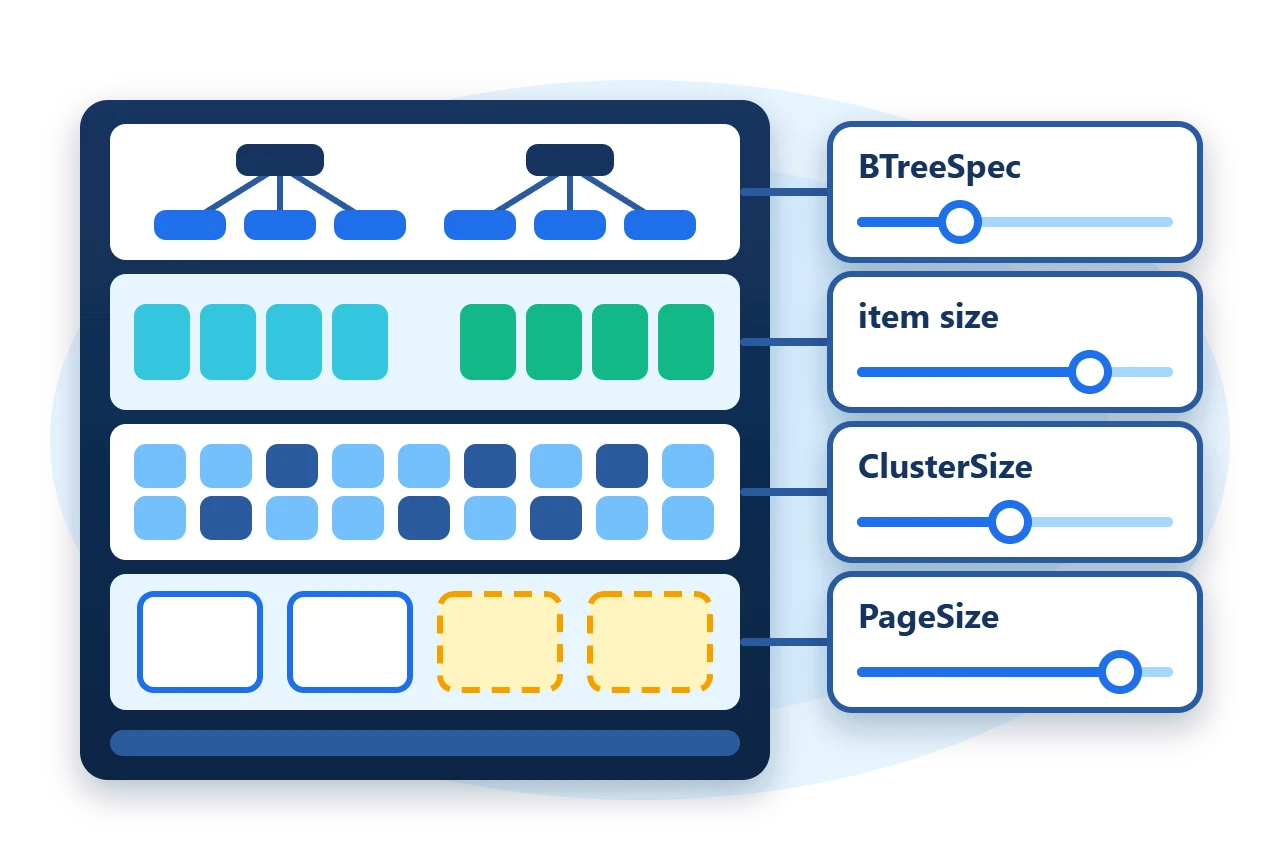
An ObjectSpace file has several layout settings, and each one trades something. A larger index node means a shallower tree and more bytes rewritten per change. A smaller cluster wastes less space on small objects and chains more clusters for large ones. No single combination is best for every mix of object size, write pattern and lookup pattern.
This article explains what each setting in ObjectSpaceBuilder controls, which of them become part of the stored file, and how to compare candidates with a small harness that builds the same store under each configuration. It uses the store from
the embedded object database article
.
1. Make the settings a value
To compare configurations, the code that builds the store has to take its settings as data. The sample describes one candidate with a record.
public sealed record StoreSettings(string Name, BTreeType IndexType, int IndexOrder, int ClusterSize, int PageSize);The store factory applies it. Everything else about the store, including its two dimensions and their indexes, stays the same for every candidate.
public static FileObjectSpace Open(string directory, StoreSettings settings) {
	Directory.CreateDirectory(directory);
	Directory.CreateDirectory(Path.Combine(directory, "pending-pages"));
	var builder = new ObjectSpaceBuilder()
		.UseFile(Path.Combine(directory, "sample.s10"))
		.KeepUncommittedPagesAt(Path.Combine(directory, "pending-pages"))
		.WithIndexBTreeSpec(new BTreeSpec(settings.IndexType, settings.IndexOrder))
		.WithClusterSize(settings.ClusterSize)
		.WithPageSize(settings.PageSize)
		.WithMaxMemory(Sphere10FrameworkDefaults.ObjectSpaceMaxMemory)
		.WithEndianness(Endianness.LittleEndian)
		.AutoLoad();
	return (FileObjectSpace)SampleSchema.Configure(builder).Build();
}
The defaults for a new store are constants in Sphere10FrameworkDefaults. The first candidate uses them unchanged, and each of the others changes one value, so that a difference in the results can be attributed to that value.
var candidates = new[] {
	new StoreSettings("defaults", BTreeType.BTree, Sphere10FrameworkDefaults.ObjectSpaceIndexBTreeOrder, Sphere10FrameworkDefaults.FileObjectSpaceClusterSize, (int)Sphere10FrameworkDefaults.ObjectSpacePageSize),
	new StoreSettings("order-32", BTreeType.BTree, 32, Sphere10FrameworkDefaults.FileObjectSpaceClusterSize, (int)Sphere10FrameworkDefaults.ObjectSpacePageSize),
	new StoreSettings("bplus-tree", BTreeType.BTreePlus, Sphere10FrameworkDefaults.ObjectSpaceIndexBTreeOrder, Sphere10FrameworkDefaults.FileObjectSpaceClusterSize, (int)Sphere10FrameworkDefaults.ObjectSpacePageSize),
	new StoreSettings("cluster-512", BTreeType.BTree, Sphere10FrameworkDefaults.ObjectSpaceIndexBTreeOrder, 512, (int)Sphere10FrameworkDefaults.ObjectSpacePageSize),
	new StoreSettings("page-16k", BTreeType.BTree, Sphere10FrameworkDefaults.ObjectSpaceIndexBTreeOrder, Sphere10FrameworkDefaults.FileObjectSpaceClusterSize, 16 * 1024)
};| Default | File store | Memory store |
| Index order | 256 | 256 |
| Outer cluster | 4096 bytes | 1024 bytes |
| Dimension cluster | 256 bytes | 1024 bytes |
| Page size | 256 KiB | not used |
| Page cache | 16 MiB | not used |
2. Where each setting acts
A file-backed ObjectSpace is a stack of layers, and every tuning setting belongs to exactly one of them. Reading the stack from top to bottom shows which setting to reach for.
-
Member indexes. Every identifier, unique and nonunique index is a B-tree stored in the file.
WithIndexBTreeSpec(new BTreeSpec(type, order))sets the tree type and the order, which is the maximum number of children of a node.WithIndexBTreeTypeandWithIndexBTreeOrderchange one of the two. -
Dimension clusters. Each dimension keeps its objects in its own clustered container.
OptimizeAssumingAverageItemSize(bytes)on a dimension sets that container's cluster size, clipped to the range 256 to 8192. -
Outer clusters. The dimensions themselves are streams inside one outer container.
WithClusterSize(bytes)sets its allocation unit. -
Transaction pages. A file store writes through a transactional stream.
WithPageSize(bytes)sets the page that is staged and published on commit, andWithMaxMemory(bytes)caps the page cache.
AutoSave(), Merkleized() and UsingHashFunction also add work to every flush. Compare those separately, because they change what the store does and not only how it is laid out.
3. Measure the phases separately
One total time hides the trade. A setting that speeds up inserts can slow down the commit, and a setting that shrinks the file can slow down lookups. The harness therefore times each phase of the store's life on its own.
The write phase saves the objects and stops the clock before Commit(), so staging and publishing are reported apart.
var clock = Stopwatch.StartNew();
using (var space = SampleStore.Open(directory, settings)) {
	for (var id = 1; id <= Customers; id++) {
		space.Save(new Customer { Id = id, Email = $"customer{id}@example.com", Region = id % 16, Name = $"Customer {id}" });
		for (var n = 0; n < PurchasesPerCustomer; n++)
			space.Save(new Purchase { Id = id * 10L + n, Reference = $"P-{id}-{n}", CustomerId = id, Total = 10 + n });
	}
	writeMs = clock.ElapsedMilliseconds;
	clock.Restart();
	space.Commit();
	commitMs = clock.ElapsedMilliseconds;
}
var fileBytes = new FileInfo(Path.Combine(directory, "sample.s10")).Length;
The read phase runs against a reopened store, because a lookup in the store that just wrote the objects is answered from the identity cache and never touches the file. It also checks every result, so a configuration that returns wrong data cannot win.
for (var id = 1; id <= Customers; id += 4) {
	var customer = space.Get((Customer item) => item.Email, $"customer{id}@example.com");
	var purchases = IndexQueries.By(space, (Purchase item) => item.CustomerId, customer.Id);
	SampleChecks.Require(customer.Id == id && purchases.Length == PurchasesPerCustomer, "A reopened lookup returned the wrong records.");
}
4. Read the results with care
One run on one development machine printed the following.
settings      write ms  commit ms  file KB  reopen ms  lookup ms
defaults          8301         52     3667        154        165
order-32          4818         27     3691        142        136
bplus-tree        7895         23     3631        138        143
cluster-512       6221         27     3766        142        187
page-16k          6422        248     3667        143        103
Every configuration stored and found 2000 customers and 6000 purchases: passed
These numbers describe this data set, this insertion order and this machine, and nothing more. The first candidate also pays for runtime warm-up. Treat a harness like this as a way to shortlist candidates. Then repeat the shortlisted ones several times, in a different order, with objects and volumes that match your application. The Framework's profiler automates that kind of study and is the right tool for a decision that matters.
5. Settings that are part of the file
-
Changing a stored index's type or order means rebuilding the data into a new store.
-
WithMaxMemoryis the exception. The page-cache budget is a runtime value and can differ on every open. -
A store created with
StoreMetaData()records each index's complete specification, and a later open checks a supplied definition against it. -
Keep the chosen values next to the code that opens the file, as the
StoreSettingsrecord does, so that every open uses the same ones.
6. Get the package and run the sample
The sample targets .NET 10 and needs only the core package.
dotnet add package Sphere10.FrameworkThe complete MIT-licensed sample contains every file shown above. Extract the download into a new console project and run it against a new directory. It takes about half a minute.
dotnet run -c Release -- ./fresh-dataThe timings will differ from the table above on every run. The last line confirms that each configuration stored and returned the same records. The ObjectSpace guide lists every setting and its comparison boundary, and the profiler guide covers repeatable measurements.
The Sphere10 Framework overview describes the rest of the toolkit.
Author: Herman Schoenfeld
