How to Share One Transaction Across Nested Calls in C#
A method that writes to a store usually wants a transaction, but it cannot know whether its caller has already started one. Passing a transaction object through every signature solves that at the cost of every signature, and opening a second transaction inside the first is usually wrong.
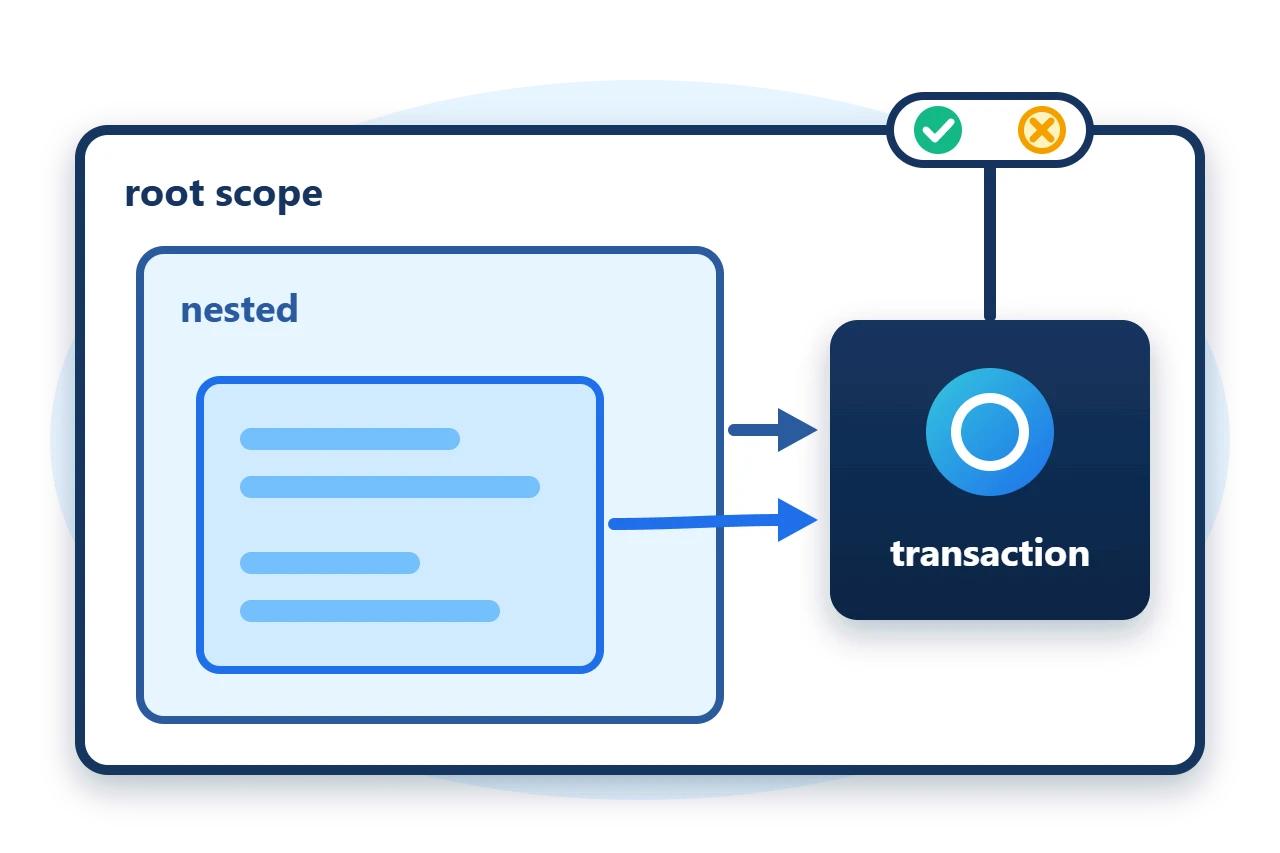
Sphere10 Framework's transactional scopes solve it with the call context. A scope either starts a transaction or joins the one its caller started, and the method's code is the same in both cases. This article explains how the scopes find each other, who owns the transaction, how a nested rollback is handled, and how to put the pattern over your own transaction type.
1. A first look
The sample store keeps a list of committed items, and its transaction type is a batch of pending items. Every operation on the store follows the same four lines. It enters a scope, begins, does its work through scope.Transaction and commits.
public void Add(string item) {
	using var scope = EnterScope();
	scope.BeginTransaction();
	scope.Transaction.Pending.Add(item);
	scope.Commit();
}
Called on its own, this scope is the root and the owner, so Commit() runs the store's commit step. Called inside another scope, it joins that scope's transaction, and its Commit() only marks this scope as finished. The work becomes durable when the owner commits.
2. How the scopes are organised
A transactional scope is a ContextScope, which is a disposable object registered in the call context under a name. The first scope created for a name is the root. Any scope created for the same name further down the call chain, including across await, finds the root and joins it.
TransactionalScopeBase<TTransaction> adds the transaction on top. The scope that calls BeginTransaction() when no transaction exists creates one and becomes its owner. A scope that calls BeginTransaction() while one exists joins it.
There are four ways to supply the real transaction work.
-
SyncTransactionalScope<TTransaction>is a base class with synchronous hooks for begin, commit, rollback and close. -
AsyncTransactionalScope<TTransaction>is the same with asynchronous hooks. -
ActionTransactionalScope<TTransaction>takes the four steps as delegates. -
TaskTransactionalScope<TTransaction>takes them as task-returning delegates.
TTransaction is whatever your store uses for a unit of work, such as a database transaction or a batch object.
3. Give a store a scope factory
The EnterScope method that Add calls is one factory method on the store. It creates the scope and binds the four steps to private methods.
public ActionTransactionalScope<Batch> EnterScope() => new(ContextScopePolicy.None, ContextName, Begin, Commit, Rollback, Close);
The context name identifies which scopes belong together, so use one name for each store instance or connection. Begin returns the new transaction, Commit and Rollback receive it, and Close receives it last so the store can dispose it.
private Batch Begin() {
	Begun++;
	return new Batch();
}

private void Commit(Batch batch) {
	Items.AddRange(batch.Pending);
	Committed++;
}
4. Write each operation as if it were alone
Every operation is written like the Add method in the first look, so a caller can group several of them inside a scope of its own.
using (var scope = store.EnterScope()) {
	scope.Committed += () => committedEvents++;
	scope.BeginTransaction();
	store.Add("b");
	store.Add("c");
	Require(store.Items.Count == 1, "Nested commits must not publish before the owner commits.");
	scope.Commit();
}
The two nested calls add to the same Batch, and the store's begin and commit steps each run once for the whole block.
5. Roll back from a nested call
A nested scope cannot roll back a transaction it does not own, because the caller may still be using it. Its Rollback() records a vote on the owner.
public void AddThenReject(string item) {
	using var scope = EnterScope();
	scope.BeginTransaction();
	scope.Transaction.Pending.Add(item);
	scope.Rollback();
}
When the owner later calls Commit(), the vote turns that commit into a rollback of the whole transaction.
using (var scope = store.EnterScope()) {
	scope.BeginTransaction();
	store.Add("d");
	store.AddThenReject("e");
	scope.Commit();
}
Neither item is stored. The owner's own Rollback() rolls back immediately.
6. Lifecycle rules
The behaviour of each call depends on whether the scope owns the transaction.
| Call | Owner scope | Joined scope |
BeginTransaction() |
Creates the transaction | Uses the existing one |
Commit() |
Commits, or rolls back if voted | Finishes this scope only |
Rollback() |
Rolls back now | Votes for rollback |
Dispose() |
Closes an open transaction | Nothing |
Three further points matter in practice.
-
Dispose does not commit. An owner that is disposed with an open transaction runs only the close step. Call
Commit()orRollback()explicitly. -
Events.
Committing,Committed,RollingBackandRolledBackare raised on the scope whose method was called. -
Policy.
ContextScopePolicy.MustBeRootrejects a scope created inside another, andMustBeNestedrejects one created without a root. Both throw aSoftwareExceptionfrom the constructor.
7. Get the package and run the sample
The scopes ship in the Sphere10.Framework NuGet package. The sample targets .NET 10.
dotnet new console --framework net10.0 --name ArticleSample
cd ArticleSample
dotnet add package Sphere10.Framework
The complete MIT-licensed sample contains every file shown in this article. Extract the download over the generated project and run it.
dotnet run -c ReleaseEach line is checked by the program before it is printed.
Standalone call: items=1, begun=1, committed=1
Two nested calls: items=3, begun=2, committed=2
Nested rollback vote: items=3, committed=2, rolledBack=1
Disposed without commit: items=3, closed=4 of 4
MustBeNested without a root: refused
The Transactions guide lists every scope type, and the Scopes guide documents the context scopes they build on.
The Sphere10 Framework overview describes the rest of the toolkit.
Author: Herman Schoenfeld
